How to import delivery stops from Excel, CSV or Google Sheets
6 steps4 min read
Most teams start the day with a spreadsheet of orders. Here is how to get it into Afi Planner without retyping anything.
In this guide
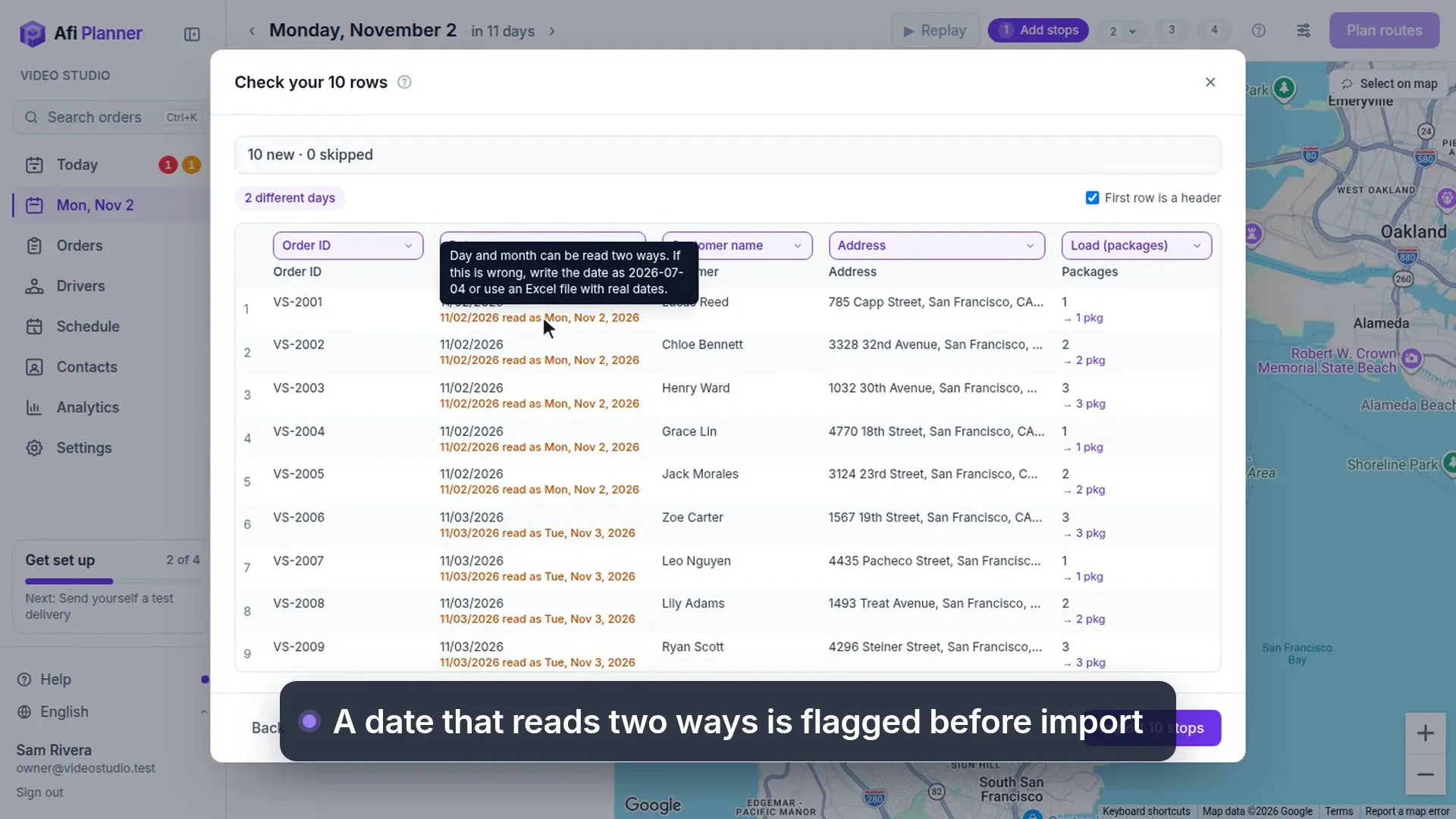
Step 1: Open the stop list
On the day you are planning, open the list on the left and click Import.
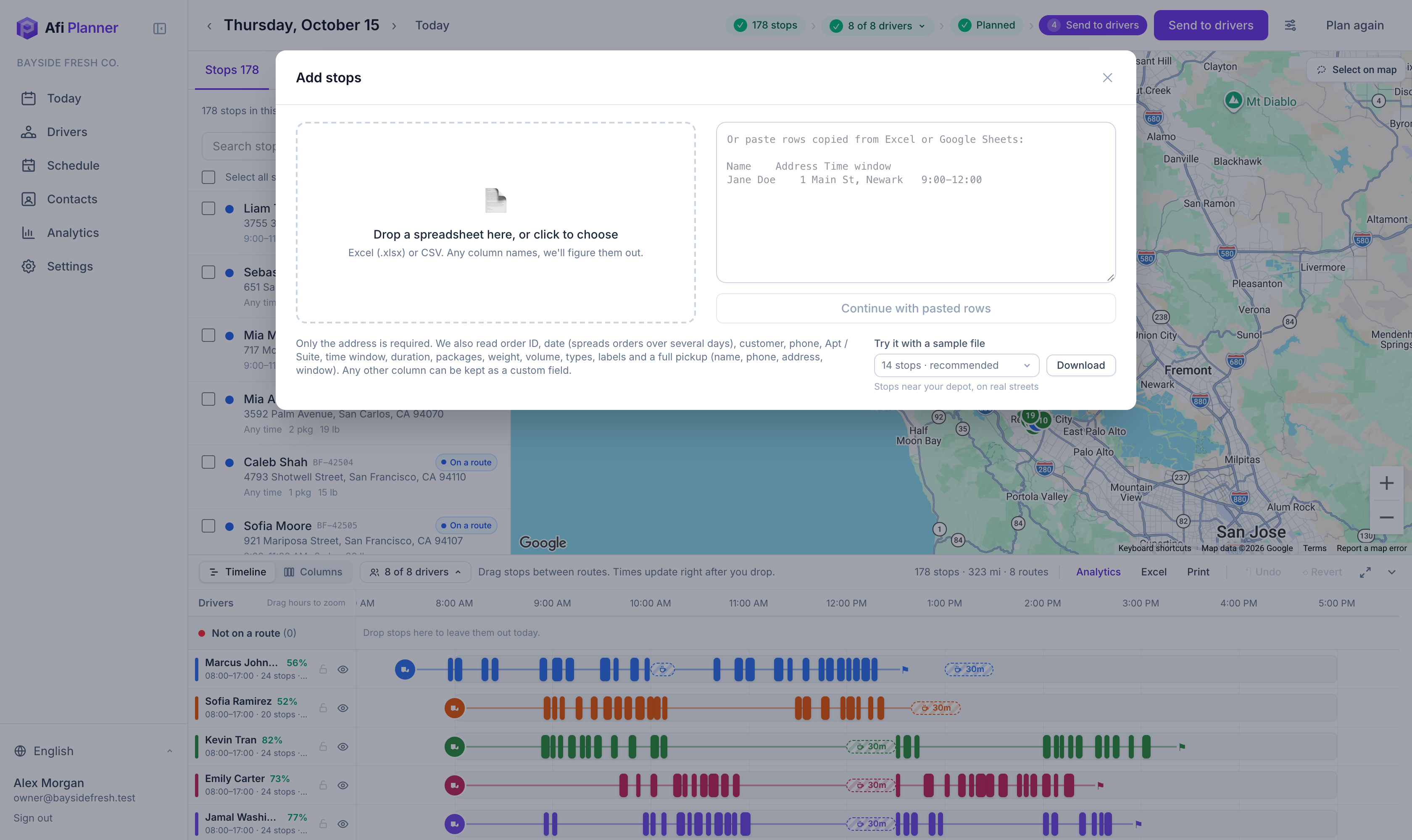
Step 2: Paste or drop your file
Copy the rows (with the header row) from Excel or Google Sheets and paste them in the box, or drop an .xlsx or .csv file on the left.
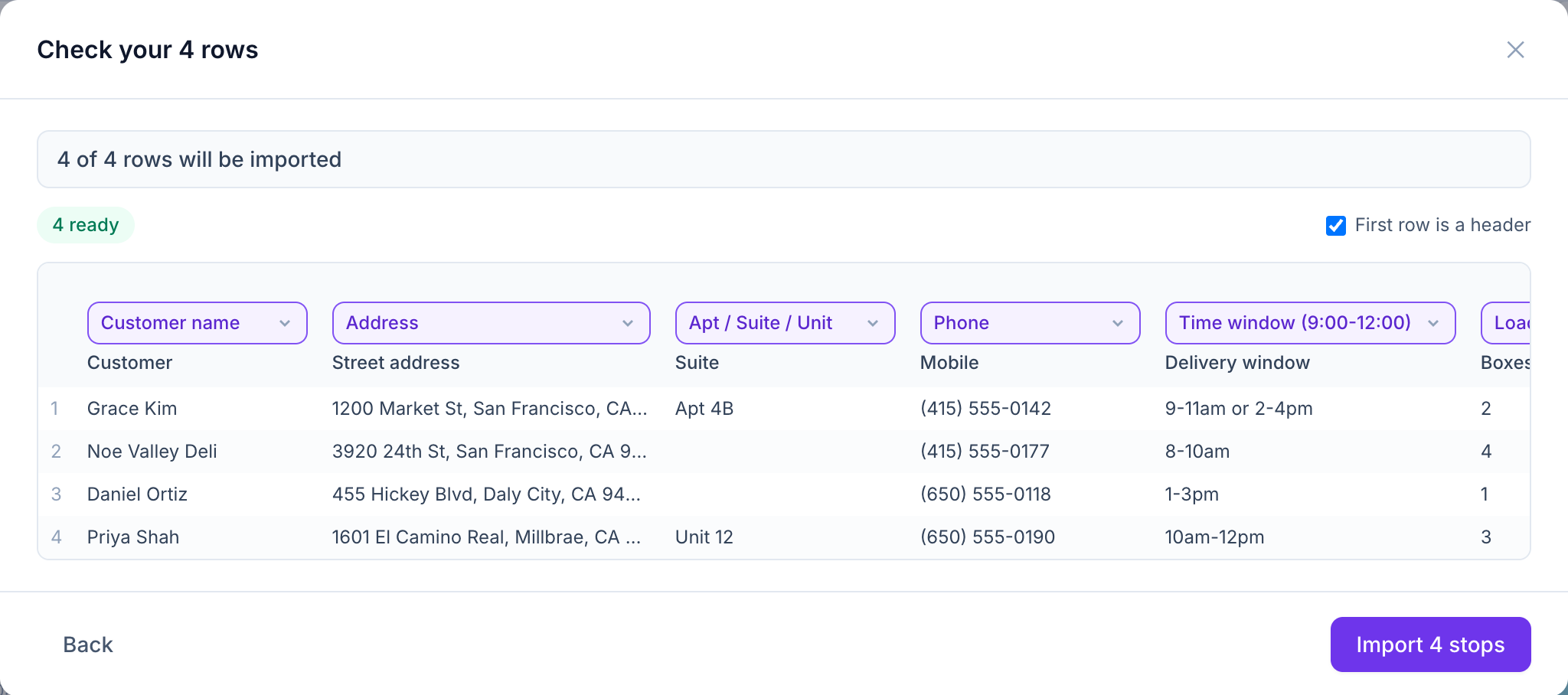
Step 3: Check the columns
Afi Planner recognizes common column names in English, Spanish, Vietnamese and Swedish: name, address, unit, phone, email, time window, service time, packages, weight, volume, notes, order ID, date and pickup details. Fix any column it guessed wrong; it remembers your choice next time.
Step 4: Review problems before importing
Rows with a missing address or an impossible time window are highlighted. Fix them in your file or import the rest and add them later.
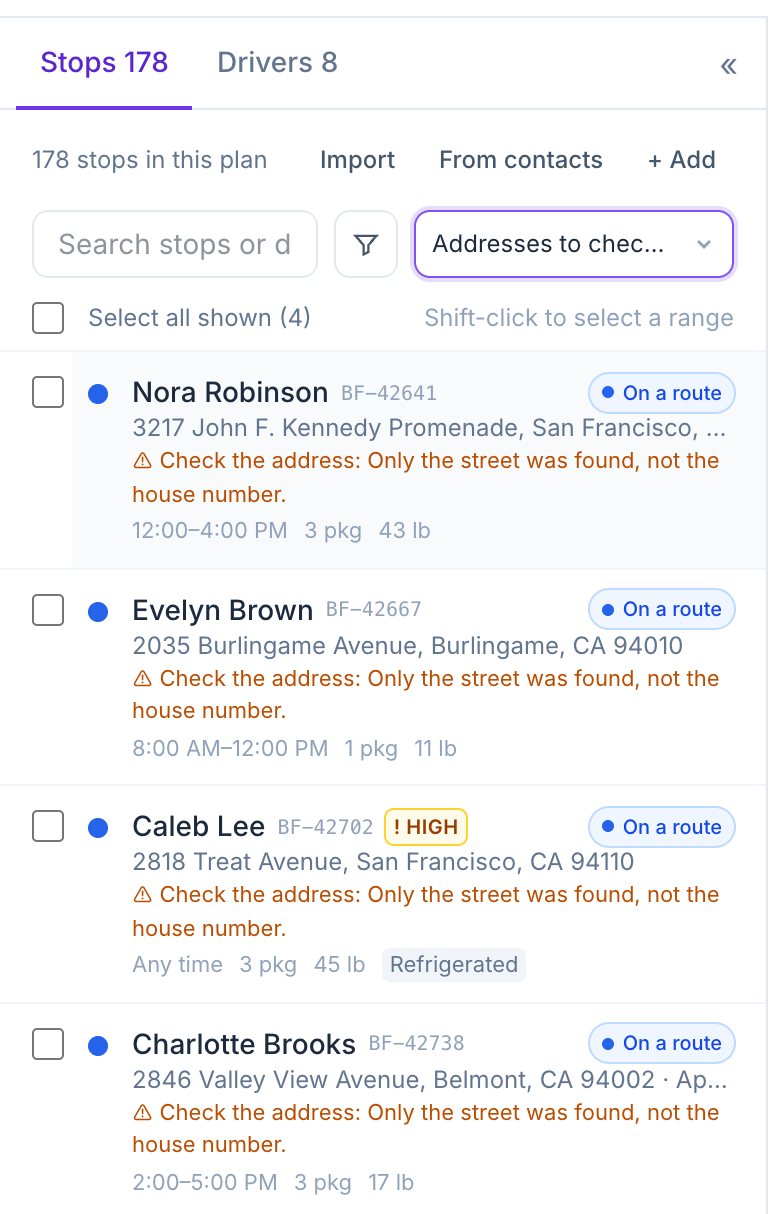
Step 5: Check addresses on the map
Imported stops are placed on the map. Vague addresses get a warning in the list; open the stop and drag the pin, or move it next to the nearest road.
Step 6: Check possible duplicates
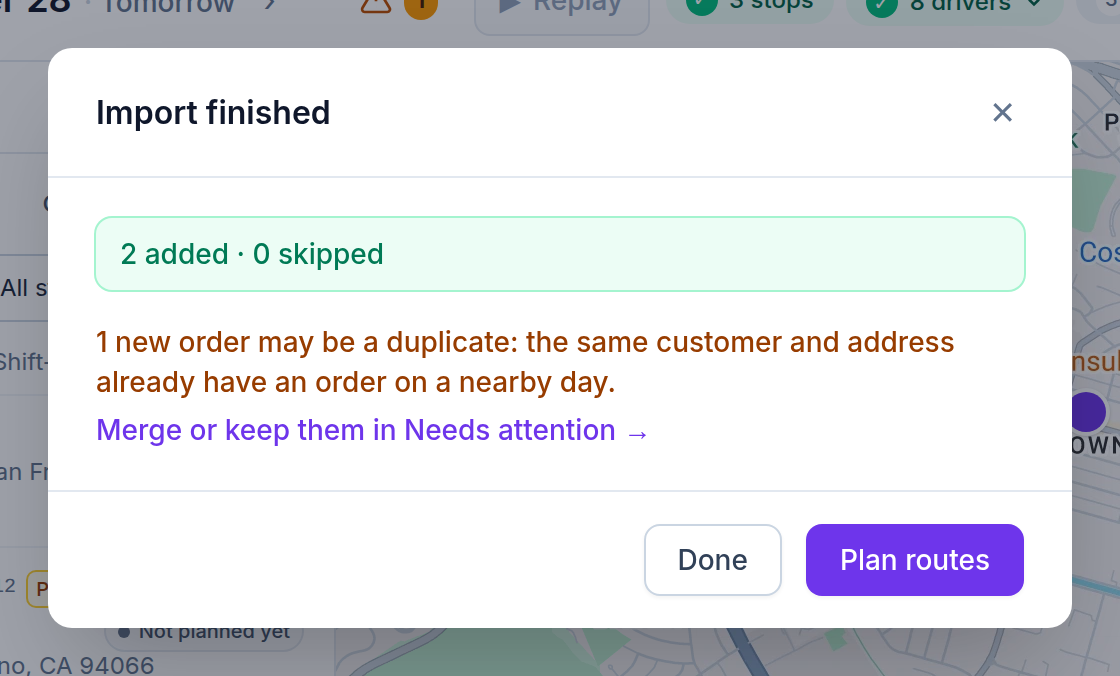
Import finished says how many new orders may be duplicates: the same customer and address already have an order a day or two away. Click Merge or keep them in Needs attention and answer each one: Merge (and pick which order stays), Keep both, or Not a duplicate.
Related feature
From spreadsheet to map in seconds →