Does the driver app work without a signal?
Short answer
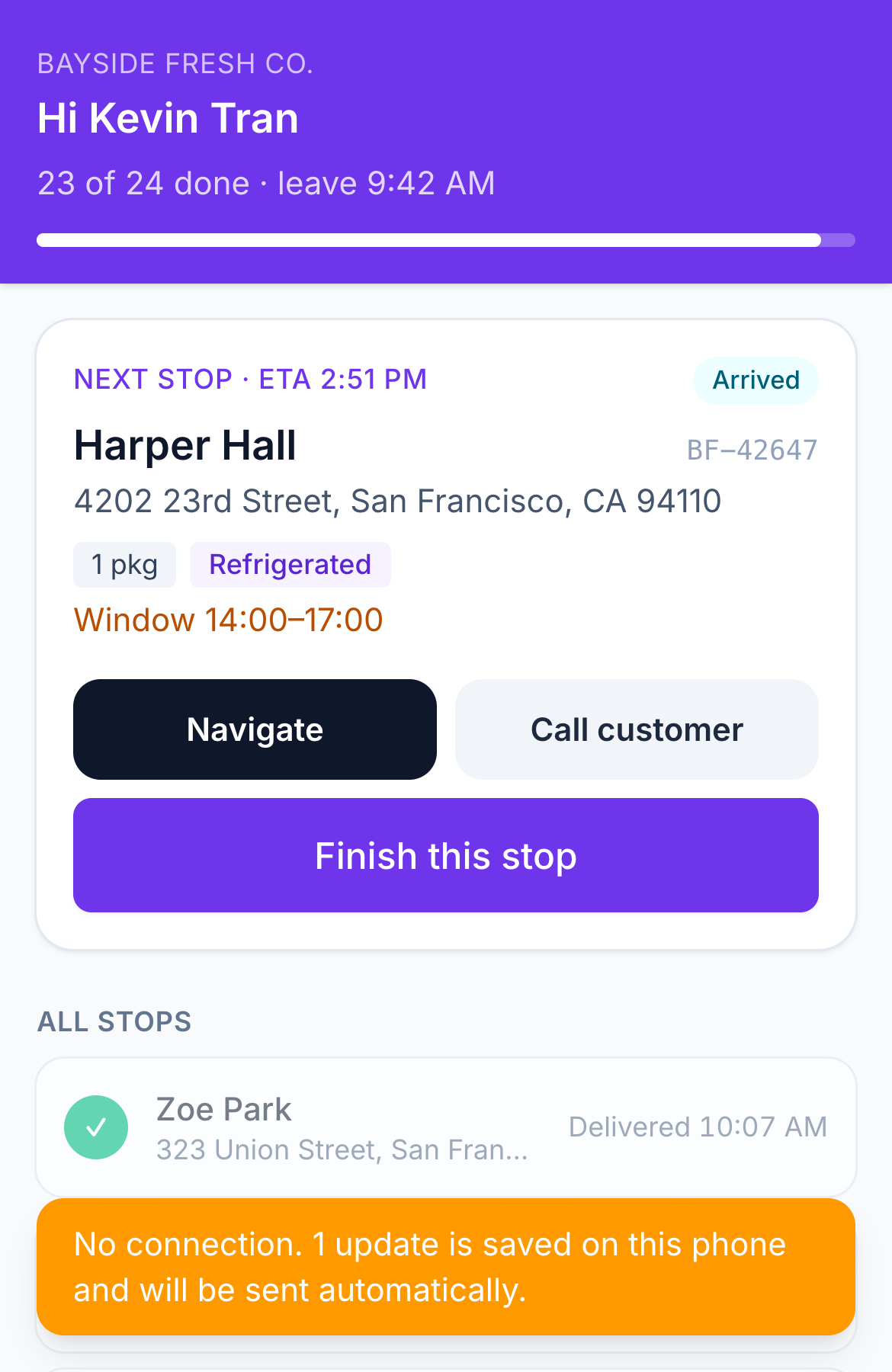
Yes. The Afi Planner Driver app for Android and iPhone keeps the day’s route on the phone and saves every report, with its photos and signature, in a queue that is sent in order when the connection comes back. The screen updates at once, so the driver keeps working, and the dispatcher sees each report as soon as the phone has signal.
How it works in Afi Planner
No signal? Keep going
The last route is saved on the phone, so the app opens without a network. Every action, from “I’m here” to delivered or failed, is saved with the time it happened and sent in order later; nothing is applied twice. A quiet line tells the driver what is still waiting to be sent.
Proof rules that fit the doorstep
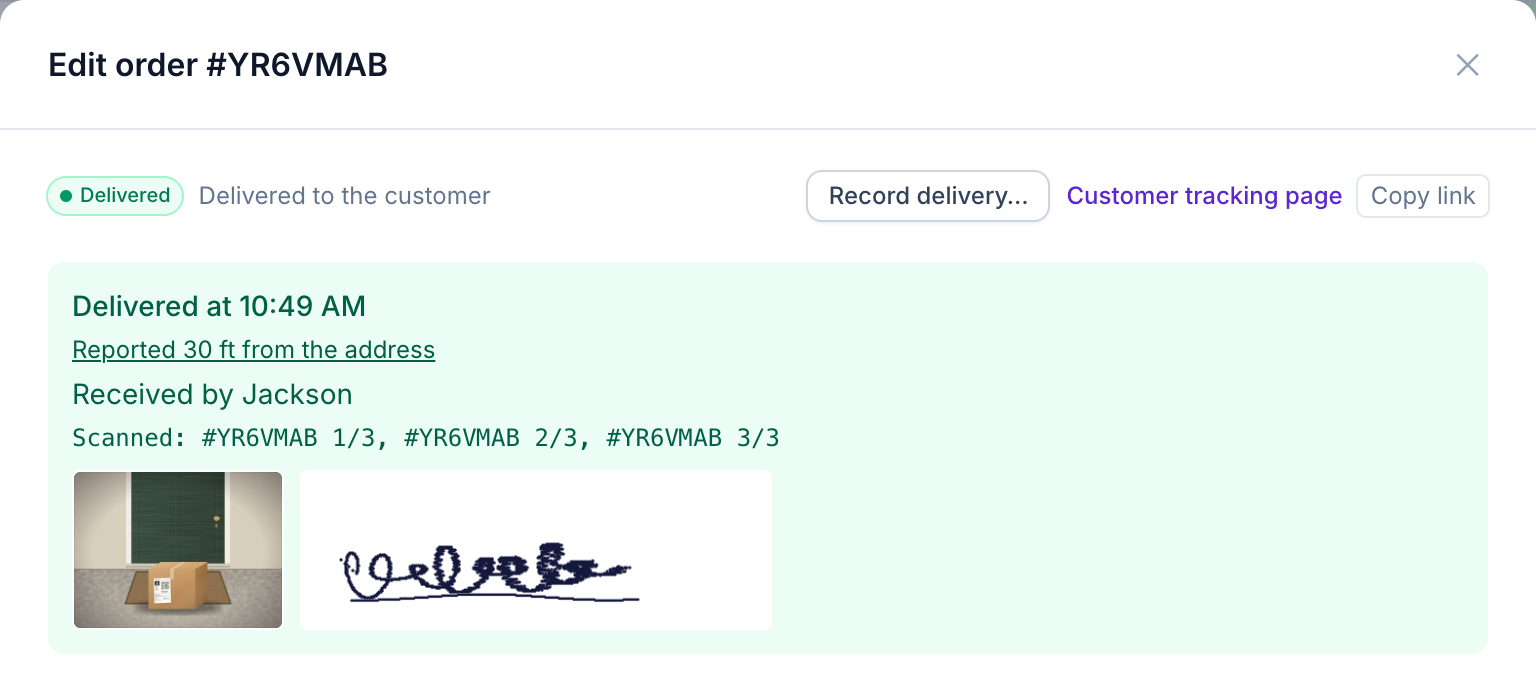
Choose what each delivery needs in Settings: photo, signature, recipient name or barcode scan, each off, optional or required. Set your own failure reasons and require a photo for the ones that matter. An order marked “leave at the door” has nobody to sign, so the signature and the recipient’s name are never required for it; the photo rule still applies.
- Who received it in one tap: the customer, a family member, a neighbor, reception, or left at the door
- Camera-only photos, and a warning when a report is made far from the address
- Undo right after a report, and a Done today list to take a report back for 10 minutes
Try it in the live demo
A fictional delivery company in the middle of its day. Read-only, no sign-up.
Open the live demo →Feature
Driver app
A driver app your team learns in a minute: the next stop first, one-tap navigation in Google Maps, Waze or Apple Maps, photo and signature proof of delivery, barcode scanning, and full offline support.
11 steps · 5 min read
Driver app guide: from first stop to proof of delivery
Frequently asked questions
Which phones are supported?
Android and iPhone, in early access. Drivers without the app get a text-message link that opens their route in any phone browser. That page is simpler than the app, but it also opens the route as last saved on the phone when there is no signal, and keeps the reports until it is back.
Who decides that an order is “leave at the door”?
The customer, on the tracking page, until the driver is on the way; the driver hears about the change at once.
Does the app track drivers after work?
No. It shares location only while the driver works today’s route, and it stops after the last stop or End my day.
More answers
- How do I add new orders after my drivers have already left?
- How can I see exactly what happened on a delivery day, minute by minute?
- Is there one list of everything a dispatcher needs to act on during the day?
- Can my customers track their delivery with a live ETA and see proof of delivery?
- How do I import delivery orders from Excel or CSV without mixing up the dates?
- Does Afi Planner have an API with webhooks?
Plan tomorrow’s routes in the next 3 minutes
Start your free 3-month trial. No credit card, no setup call, no installation.